
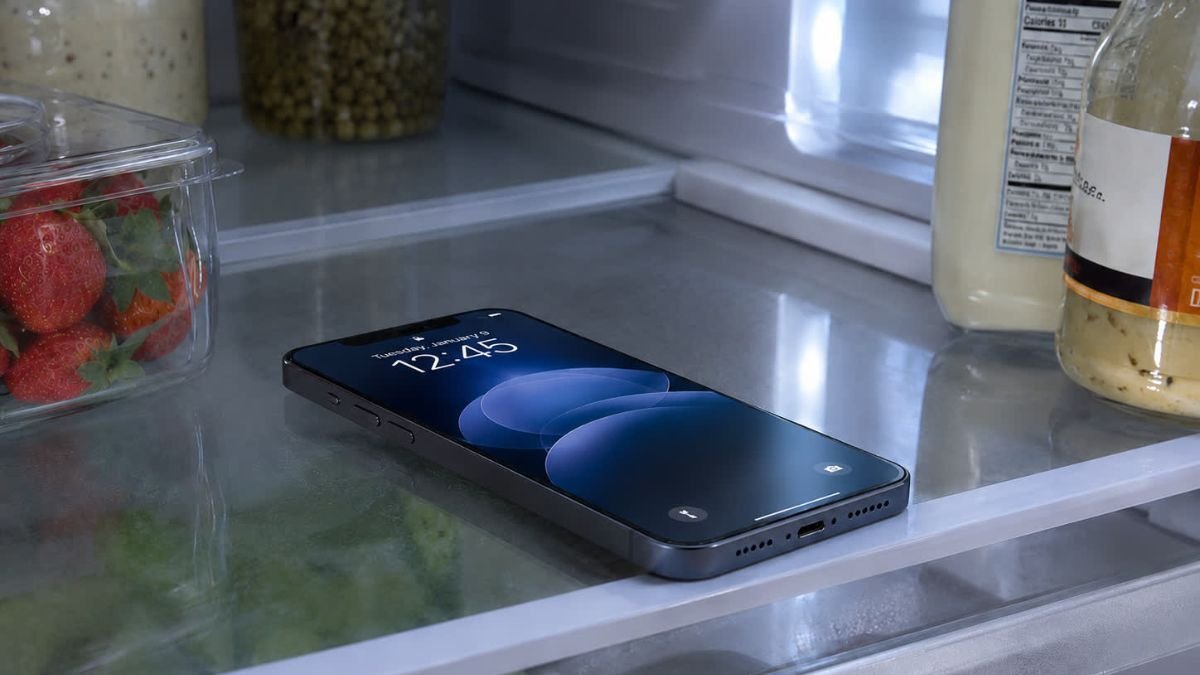
As the UK and parts of Europe face extreme heat, many people are dealing with phones and tablets that overheat in soaring temperatures.
Some users have tried cooling their devices by placing them in fridges or freezers, but repair experts warn this shortcut can cause serious internal damage instead of solving the problem.
Repair Shops Seeing Moisture-Damaged Devices
UK repair shop owner Jamie Farnell, based in the town of Wem, said he has recently seen a surge in phones and tablets with internal moisture damage.
He believes many of these devices were damaged after owners placed them in fridges or freezers during the heatwave in an attempt to cool them quickly.
iPad Battery Incident Highlights the Risk
During last month’s extreme heat, Farnell said an iPad with a swollen lithium battery exploded inside his repair shop after a customer brought it in.
Swollen lithium batteries can be dangerous, and exposing electronics to extreme temperatures or sudden temperature shifts may increase the risk of further damage.
Why People Put Phones in Fridges
When a phone shows an overheating warning or feels extremely hot, putting it somewhere cold may seem like a quick fix.
The idea has also spread on social media, where videos often present fridge or freezer cooling as a simple hack. However, experts say the method is risky because electronic devices are not designed for sudden, extreme temperature changes.
Condensation Is the Biggest Danger
The main problem is condensation.
When a warm phone or tablet is placed inside a fridge or freezer, warm air around or inside the device cools rapidly. As the temperature drops, water vapour can turn into liquid moisture on surfaces, ports, speakers and possibly inside the device casing.
The risk can increase again when the cold device is taken back into a warm room, because humid air can condense on the chilled surface, similar to water forming on the outside of a cold drink.
Moisture Can Cause Corrosion and Short Circuits
Moisture inside a phone can lead to several problems.
It may corrode internal components, damage charging ports, affect speakers or microphones, and potentially create short circuits. Even if the phone appears to work at first, moisture-related damage may show up later.
Thermal Shock Can Damage Components
Fridges and freezers can also expose a phone to thermal shock.
A sudden temperature change can put stress on the screen, glass, seals, adhesives and small internal parts. Batteries may also be affected by extreme cold, especially if the device is left inside for too long.
Apple’s Official Temperature Advice
Apple says iPhones and iPads are designed for use in ambient temperatures between 0°C and 35°C. The company warns that using iOS or iPadOS devices in very hot conditions can permanently reduce battery life.
Apple recommends moving an overheating device to a cooler location, turning it off if necessary, and allowing it to return to normal temperature naturally rather than forcing a rapid cooldown.
Samsung Also Recommends Natural Cooling
Samsung gives similar advice for Galaxy devices. The company says if a phone becomes uncomfortably hot or shows a cooling warning, users should stop using it and allow it to cool down.
Samsung also notes that overheated devices may automatically reduce performance, disconnect network access or limit functions to prevent damage.
Better Ways to Cool an Overheating Phone
A safer approach is to move the device out of direct sunlight and place it in a shaded, cooler indoor area.
Users can also remove the case, stop gaming or streaming, close demanding apps, reduce screen brightness, disconnect unnecessary features, unplug the charger and turn the device off until it cools.
The Associated Press has also advised against placing phones in fridges or freezers because condensation can damage electronics.
The Rice Myth Is Also Misleading
Farnell compared the fridge habit to another common tech myth: putting a wet phone in rice.
Rice became popular when many phones had removable batteries and little water resistance, but it is not very effective for modern sealed devices. Rice cannot reliably pull liquid out of internal spaces, and dust or starch from rice can enter ports and speaker openings.
What Users Should Do Instead
If a phone overheats, the safest steps are simple:
Turn it off or stop using it.
Move it to shade or a cooler room.
Remove the case.
Avoid charging until it cools.
Do not place it in a fridge, freezer or ice pack.
Seek professional repair help if the device shows swelling, strange smells, liquid damage, or repeated overheating.
Putting an overheating phone or tablet in a fridge or freezer may seem like a fast solution, but it can create bigger problems. Condensation, thermal shock and battery stress can damage internal parts and may even make a device unsafe.
Apple and Samsung both recommend allowing overheated devices to cool naturally in a shaded, cooler environment. During heatwaves, the safest approach is prevention: keep devices out of direct sunlight, reduce heavy use and avoid extreme temperature changes.